This page is written by us, the SendReplay team, so read it as a vendor comparison. It is for people who run registration-required Zoom Webinars and are weighing Salepager's $70-per-user Webinar plan against something simpler. The verdict in two sentences: if what you need is the recording emailed to every registrant the moment your webinar ends, with a different message for people who missed it, SendReplay does that for $29 a month with no per-seat or per-registrant pricing. If you also need pre-meeting reminders, calendar invites, or support for regular Zoom Meetings, Salepager is the broader tool and you should stay.
If you want Salepager's automatic recording sharing without paying $70 per user per month for the Webinar plan, SendReplay sends every Zoom webinar replay to attendees and no-shows automatically for a flat $29 a month, with unlimited webinars and registrants.
Why people look for a Salepager alternative
Salepager has no public reviews on Product Hunt or the directory sites that list it, so the themes below come from Salepager's own site, the Zoom Community, and SaaS directories rather than from user ratings. We have not invented any reviews.
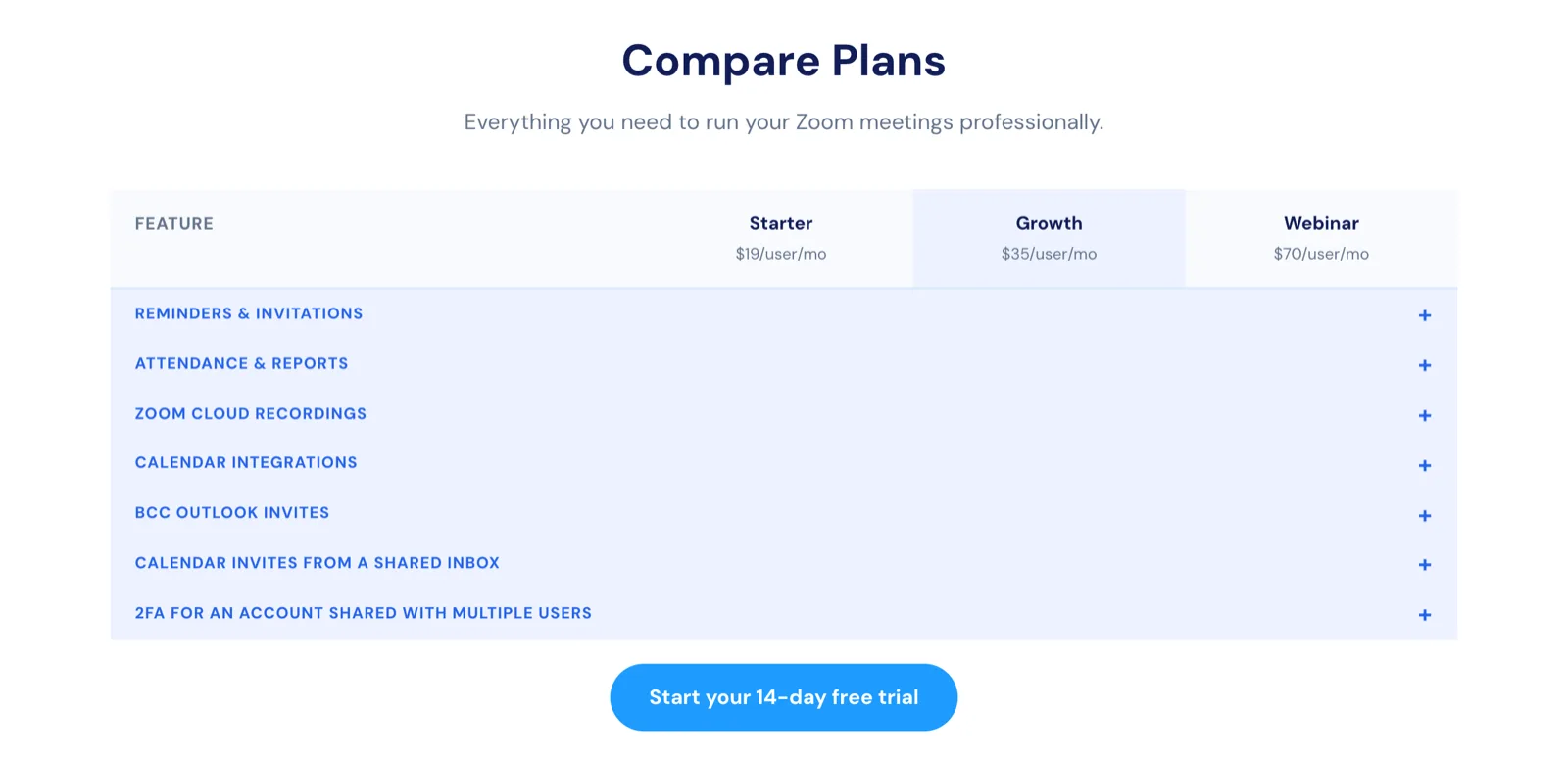
- Zoom Webinars require the $70-per-user plan. Salepager's Starter ($19) and Growth ($35) plans cover Zoom Meetings only. Webinar support, webinar reports and bulk recording download are all on the Webinar plan at $70 per user per month. Source: salepager.com pricing table and FAQ, checked 5 November 2026.
- Registrant caps per meeting, and more registrants mean more licenses. Plans allow 300, 600 or 1,500 invitees per meeting. Salepager's FAQ states that each Webinar license gives you 1,500 registrants and two licenses give 3,000, so a 2,000-registrant webinar costs two $70 licenses. Source: salepager.com FAQ, checked 5 November 2026.
- No refunds, and the free trial covers Starter only. Salepager's refund policy says all fees are non-refundable once charged, with no prorated refunds on cancellation. The 14-day trial is offered on the Starter plan, which does not include webinars, so you cannot trial the webinar features for free. Source: salepager.com/refund-policy and homepage FAQ, checked 5 November 2026.
- Narrow scope and a learning curve. The Spotsaas directory lists “Limited to Zoom meetings” and “May require user training” as the reasons teams look for a Salepager alternative. Source: spotsaas.com/product/salepager/alternatives, page dated August 2026.
- Hesitation about third-party Zoom apps. In a Zoom Community thread about reminding registrants, one user said they had seen Salepager's add-on but were wary of third-party apps. That concern applies to any Zoom Marketplace app, including ours, which is why we document exactly which read-only Zoom scopes we request. Source: community.zoom.com, “Automatic Reminder for Zoom Meetings” thread.
SendReplay vs Salepager at a glance
Figures verified on each vendor's website on 5 November 2026.
| Feature | SendReplay | Salepager |
|---|---|---|
| What it does | Emails the Zoom webinar recording to registrants after the webinar, one template for attendees and one for no-shows | Pre-meeting reminders and calendar invites for Zoom Meetings and Webinars, plus reports and recording sharing |
| Price for Zoom Webinars | $29/month flat | $70/user/month (Webinar plan) |
| Price for Zoom Meetings | Not supported | $19 or $35/user/month |
| Webinars and registrants | Unlimited | 1,500 registrants per Webinar license; 300 or 600 invitees per meeting on lower plans |
| Free plan or trial | None stated | 14-day free trial on Starter only; no free plan |
| Separate email for no-shows | Yes, attendance-aware segmentation | Not stated on their site |
| Send trigger | Zoom's recording-ready event, default 15-minute delay | Reminders are scheduled ahead of time; recording sharing “automatically share recording with attendees” |
| Hold for review before sending | Yes, one-click approve | Not stated |
| Delivery log and retry | Per-recipient log, resend to failed | Not stated |
| Pre-webinar reminders | No | Yes, on all plans |
| Calendar invites to registrants | No | Yes, Google, Outlook, Apple |
| Bulk download Zoom recordings | No | Yes, Webinar plan |
| Multiple Zoom hosts per account | Yes | Up to 100 shared users on Webinar plan |
| Integrations | Zoom only | Zoom plus calendars; no CRM or Zapier stated |
| Refund policy | “Cancel anytime”; no refund terms published on pages we read | All sales final, no prorated refunds |
| Support | Email only, Monday to Friday, Singapore time | Book a support call during trial |
Feature comparison
Sending the replay after the webinar
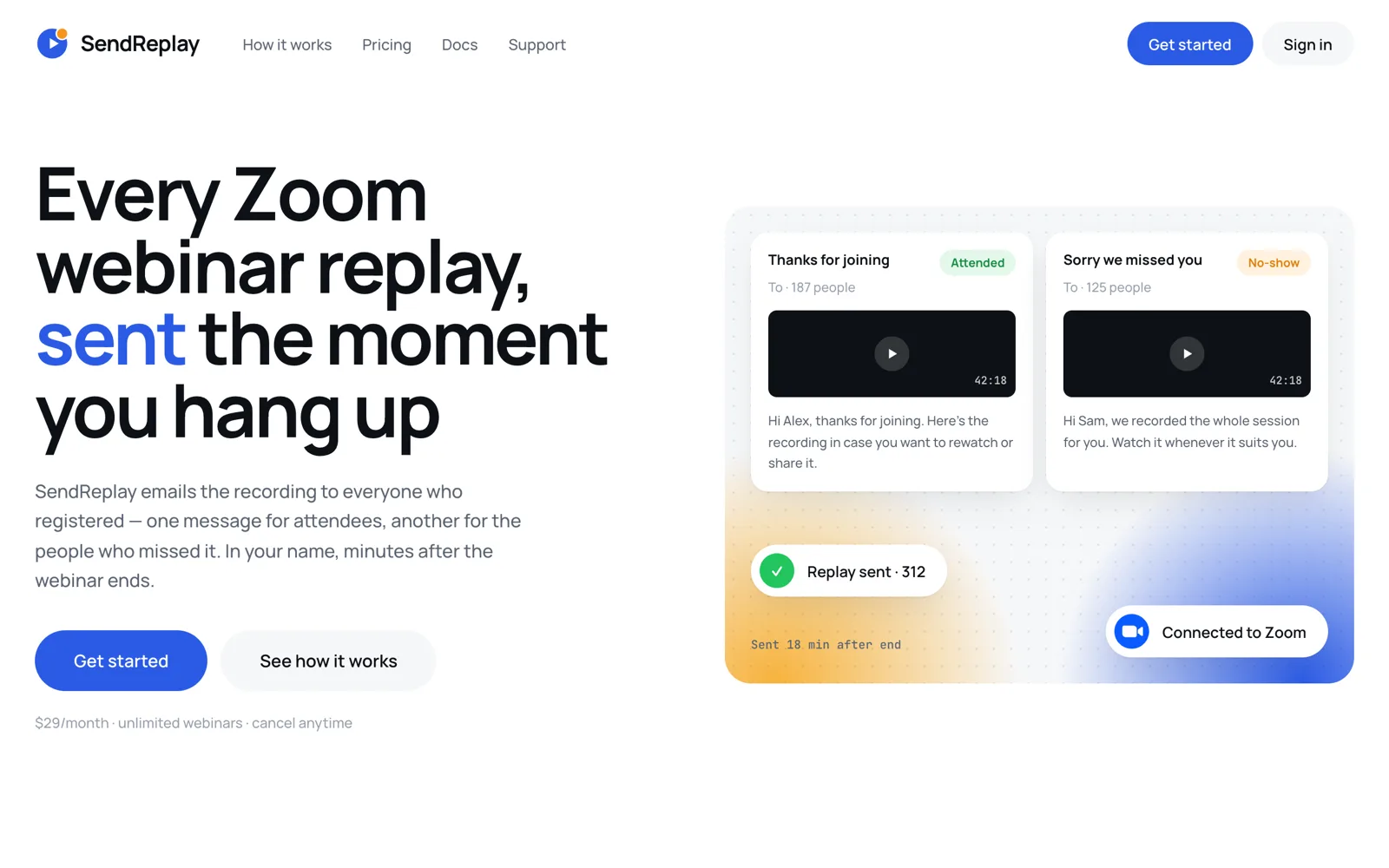
SendReplay exists for one job. Zoom notifies us the moment a cloud recording finishes processing, we pull the attendance report, and the emails go out after a delay you set, 15 minutes by default. Attendees get one message, registrants who did not show get another, and each occurrence of a recurring webinar gets its own send. You can let it run automatically or hold every send for a one-click review.
Salepager's plan table lists “Automatically share recording with attendees” and “Automatically email recordings to meeting attendees” on all plans, capped at 300, 600 or 1,500 registrants. Sharing the recording with on-demand registrants is on Growth and Webinar only. Salepager's site does not describe a separate message for absentees, so if that distinction matters to you, confirm it with them before buying.
Attendance-aware segmentation
We match Zoom's attendee report to the registrant list by registration ID, then email, then name. If Zoom's attendance report never arrives, we retry three times, ten minutes apart, then send everyone the attended version and flag the webinar so you know. Salepager offers “Combine registration and participation reports” on all plans and lists report sizes of 300, 600 and 1,500 registrants. Our attendance report guide explains where those numbers come from in Zoom.
Templates and personalisation
SendReplay gives you two Markdown templates with live preview and merge tags for first name, last name, webinar topic and date, replay link, passcode, host name and unsubscribe link. If you leave the replay link out, a “Watch the recording” button is added for you. Salepager adds branding in a Branding tab and sends from its own domain on Starter, or your branded domain on Growth and Webinar.
Deliverability and compliance
Every SendReplay email carries a one-click unsubscribe link and List-Unsubscribe headers, and unsubscribes, bounces and complaints go to a per-account suppression list. A per-recipient log shows sent, delivered, bounced or failed, and “Resend to failed” never re-emails people who already got the message. Salepager's site does not describe unsubscribe or bounce handling for its emails.
What Salepager does that we do not
Salepager sends reminders before the meeting, adds the Zoom link to recipients' Google, Outlook and Apple calendars, sends BCC Outlook invitations, routes invites from a shared inbox such as sales@, exports a CSV of all Zoom meetings, and on the Webinar plan bulk-downloads cloud recordings. SendReplay does none of that. We also do not support regular Zoom Meetings at all, even ones with registration, and we do not yet offer open or click analytics beyond the delivery log.
Pricing comparison
Verified 5 November 2026 on sendreplay.com/pricing and the pricing section of salepager.com. Neither vendor publishes annual pricing.
| Plan | Monthly price | Zoom Webinars | Registrant limit |
|---|---|---|---|
| SendReplay Pro | $29 flat | Yes | Unlimited |
| Salepager Starter | $19 per user | No | 300 per meeting |
| Salepager Growth | $35 per user | No | 600 per meeting |
| Salepager Webinar | $70 per user | Yes | 1,500 per license |
Worked example
A training provider has two Zoom hosts who each run one webinar a week, and a typical webinar draws 800 registrants. On Salepager they need the Webinar plan for both hosts, so $140 a month. If one webinar grows past 1,500 registrants they need a second license for that host, taking the bill to $210 a month. On SendReplay both hosts connect to one account for $29 a month regardless of registrant count. The honest caveat is that the $140 also buys them pre-webinar reminders and calendar invites, which SendReplay does not do, so the saving only counts if replay delivery is the job you are hiring the tool for.
Both tools require a paid Zoom Webinar add-on and cloud recording turned on in Zoom. Salepager does not accept purchase orders and does not offer nonprofit pricing. SendReplay does not state a trial, and the dashboard shows recordings without a subscription but sends no emails until you subscribe.
Where Salepager is the better choice
- You need reminders before the event. Zoom has no built-in reminder email for meeting registrants, and this is Salepager's core product. We send nothing before the webinar.
- You run Zoom Meetings, not Webinars. SendReplay ignores meetings entirely. Salepager's $19 and $35 plans are built for them.
- Calendar invites matter. Salepager auto-populates attendee calendars and supports BCC Outlook invitations from a custom domain or shared mailbox.
- You want reports and recording archives. CSV exports, combined registration and participation reports, and bulk recording download are Salepager features we do not have.
- You want to try before paying. Salepager offers a 14-day free trial on Starter. We do not currently advertise a trial.
- You need many people in one account. Salepager's Webinar plan allows 100 users with shared permissions and emailed 2FA passcodes for shared logins.
How to switch to SendReplay
There is nothing to import. SendReplay reads registration, attendance and recordings directly from Zoom, so your past Salepager data stays in Salepager and your webinars keep working.
- Create a SendReplay account and click Connect Zoom. We request read-only scopes for webinars, registrants, attendance reports and cloud recordings, and never write to your Zoom account.
- Connect each Zoom host you want covered. Several hosts can share one account.
- Edit the attended and no-show templates, or turn either one off.
- Choose automatic sending or hold-for-review, and set the delay under Settings → Sending.
- Run your next webinar with registration required and cloud recording on. The replay goes out minutes after Zoom finishes processing, and the delivery log shows every recipient.
If you still need pre-webinar reminders, you can keep a lower Salepager plan or Zoom's own confirmation emails for that and let SendReplay handle the replay. Note that Salepager's refund policy gives no prorated refund for the unused part of a billing period, so time the cancellation to your renewal date. The user guide has the full setup sequence.
Other Salepager alternatives
The top search result for this query is a directory roundup, so here are the options people actually weigh for replay delivery, verified in the Zoom Community and vendor pages on 5 November 2026.
- Zoom's built-in follow-up emails. Zoom Webinars can send a follow-up to attendees and a separate one to absentees at no extra cost. Zoom staff on the community forum confirm the recording link is not inserted automatically, so you paste it in by hand after each event, and the follow-up can only be scheduled within about a week of the webinar. Fine for occasional webinars, tedious every week. Our guide on sending a webinar recording to registrants walks the manual loop.
- Zapier or n8n templates. Both platforms publish templates that watch for a new Zoom recording and email registrants. The n8n workflow also classifies no-shows and logs follow-ups to Google Sheets. You own the setup, the error handling and the platform subscription, which is the “Zapier zap held together with hope” scenario SendReplay was built to replace.
- Full webinar platforms. Tools priced per seat that bundle registration pages, reminders and replays. The right choice if you are leaving Zoom Webinars altogether, and overkill if you are not.
Common questions
Does Salepager have a free plan?
No. Salepager offers a 14-day free trial on its Starter plan and no free plan. The trial does not include Zoom Webinars, which need the $70-per-user Webinar plan. Verified 5 November 2026.
How much does Salepager cost for Zoom Webinars?
$70 per user per month on the Webinar plan, which includes 1,500 registrants per license. Larger webinars need additional licenses. Salepager does not publish annual pricing.
Does Zoom automatically send the recording to webinar registrants?
No. Zoom's follow-up emails to attendees and absentees exist, but Zoom staff state the recording link must be pasted in manually. SendReplay and Salepager both automate this step.
Is SendReplay cheaper than Salepager?
For Zoom Webinars, yes. SendReplay is $29 a month flat with unlimited webinars and registrants, against $70 per user per month on Salepager's Webinar plan. For Zoom Meetings, Salepager starts at $19 per user and SendReplay is not an option, because it only supports webinars.
Does SendReplay send reminders before the webinar?
No. SendReplay only sends after the webinar, once Zoom's cloud recording is ready. Use Zoom's confirmation emails or a reminder tool such as Salepager for pre-event messages.
What do I need in Zoom for SendReplay to work?
A Zoom Webinar add-on, registration required on the webinar, and cloud recording enabled. Local recordings never reach Zoom's cloud, so they cannot trigger a send.
Conclusion
Salepager is a reminder and calendar tool that also shares recordings, priced per user and highest for webinars. SendReplay is a replay-delivery tool priced flat. If your weekly pain is getting the recording to the people who registered, especially the ones who did not show, SendReplay solves exactly that for $29 a month.